Registration
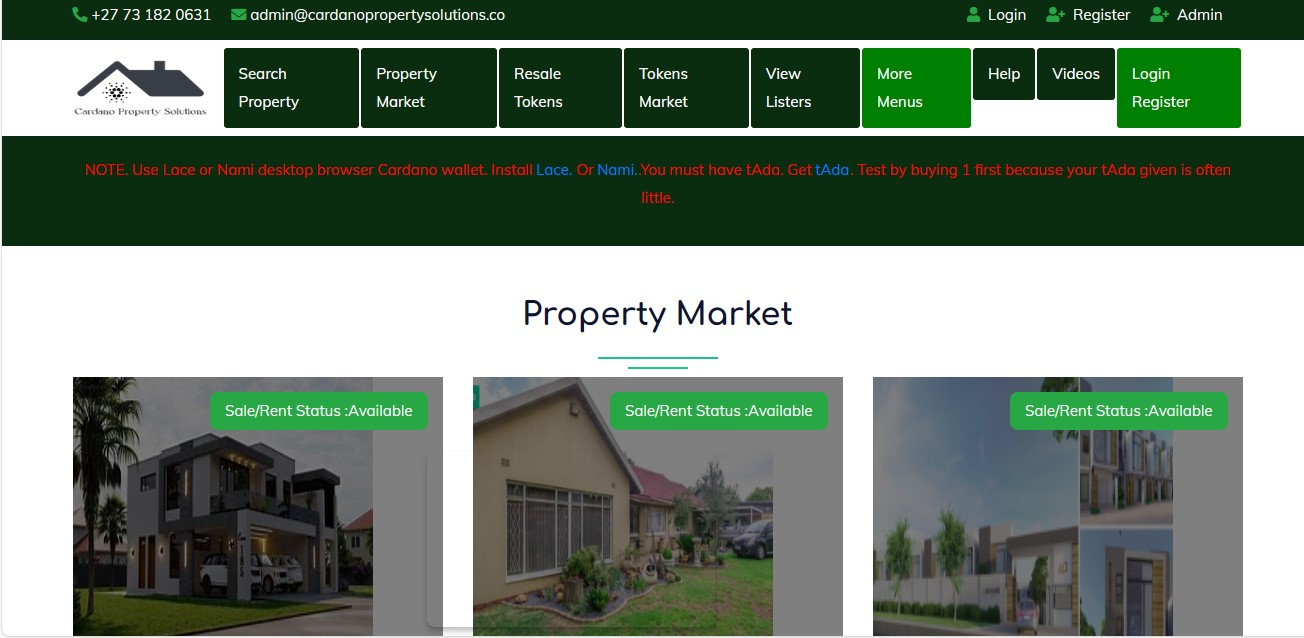
If you don’t have an account, you must start by registering. Follow these steps to create an account:
Steps to Register
-
Locate the Register Button
- Navigate to the top right corner of the webpage or application screen.
- Click the "Register" button to open the registration form.
-
Fill in the Registration Form
- Name: Enter your full name as you’d like it to appear in the system.
- Email Address: Provide a valid email address that you have access to. This will be used for account verification or notifications.
- Password: Create a strong password using a mix of letters, numbers, and symbols to ensure security.
-
Submit the Form
- After filling in all the fields, review your details to ensure they are correct.
- Click the "Register" button at the bottom of the form to submit your details.
-
Check Registration Confirmation
- If your registration is successful, a message such as "Registration Successful. Login" will appear.
Now that you’ve registered, you can proceed to log in and explore the features available in your account.