Minting Share Tokens
To mint share tokens for a property, follow these steps carefully:
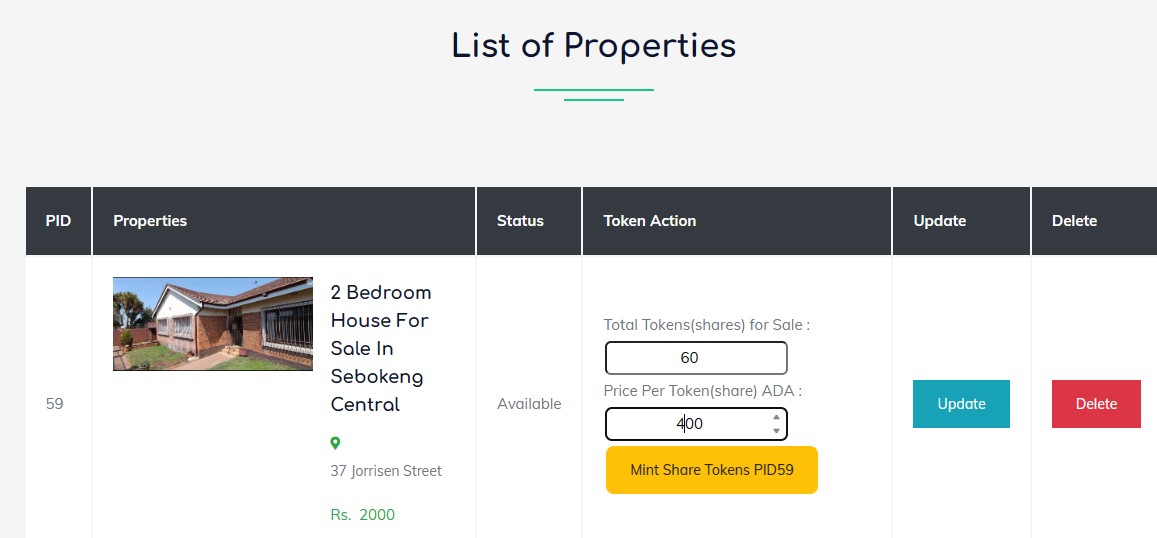
Steps to Mint Share Tokens
- Fill in Token Action Details
- Under the Token Action section, you will find fields to specify the following:
- Total Tokens (Shares) for Sale: Enter the total number of tokens (shares) you wish to mint. For example, enter
60if you want to create 60 tokens. - Price Per Token (Share) in ADA: Specify the price for each token in ADA. For example, enter
400if each token costs 400 ADA.
- Total Tokens (Shares) for Sale: Enter the total number of tokens (shares) you wish to mint. For example, enter
- Once all fields are filled, click the yellow button labeled "Mint Share Tokens PID59" to start the process.
- Under the Token Action section, you will find fields to specify the following:
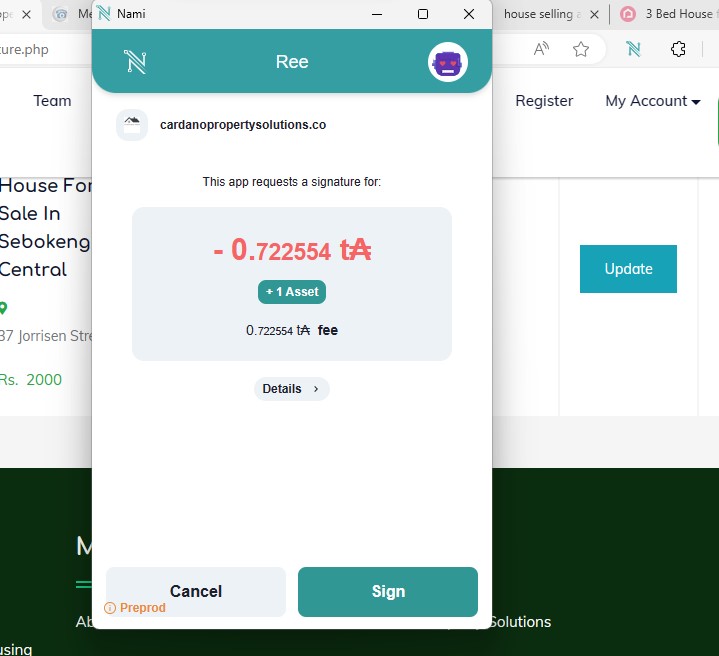
Then you will need to sign the transaction
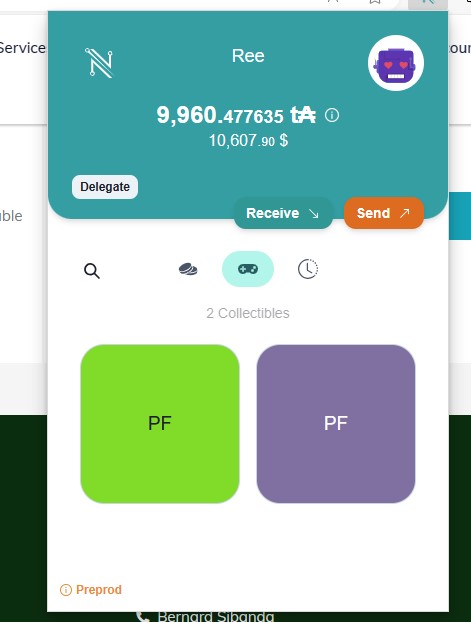
- Verify Minted Tokens in Your Wallet
- Open your Nami Wallet and navigate to the Collectibles section.
- You will see the newly minted share tokens listed under your collectibles.
- This confirms that the tokens have been successfully minted and are now stored in your wallet.
Key Notes
- Ensure you have sufficient ADA in your wallet to cover the minting fees and transaction costs.
- If any step fails, check your network connection or wallet balance, and try again.
- Patience is key—minting may take a few moments to complete.
By following these steps, you will successfully mint property share tokens, and they will appear in your wallet for verification.