Posting a Property
To list a property on the platform, you need to choose Post Property from the navigating bar and fill out the Post Property form. Below are the steps to guide you through the process.
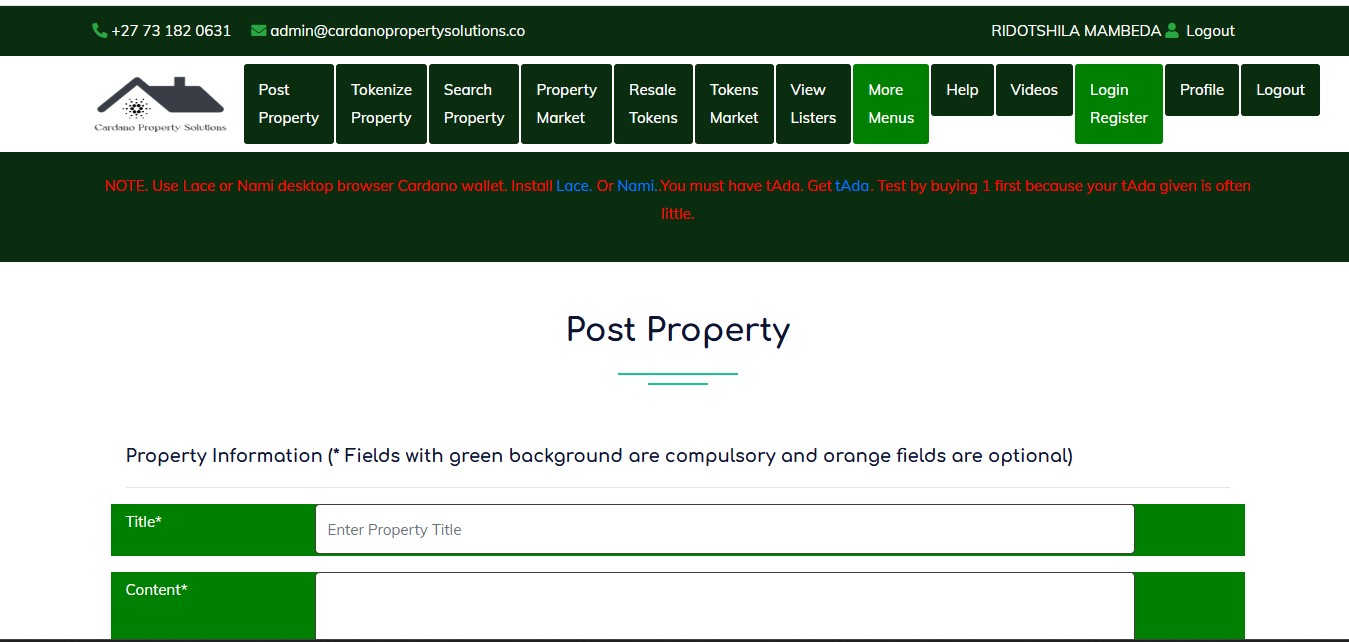
Steps to Post a Property
-
Enter Property Title
- In the Title* field, type a clear and descriptive title for the property (e.g., "3 Bedroom House in New York").
-
Add Content or Description
- In the Content* section, provide details about the property. Include key features, location highlights, and any additional information that will help attract buyers or renters.
-
Specify Property Details
Fill in the following fields to describe the property. This are optional.- Property Type: Select the property type (e.g., House, Apartment, etc.) from the dropdown menu.
- Bedroom: Enter the number of bedrooms (e.g., 3).
- Selling Type: Choose whether the property is for Sale or Rent.
- Balcony: Enter the number of balconies.
- Bathroom: Indicate the number of bathrooms.
- Kitchen: Specify the number of kitchens.
-
Enter Pricing and Area Information
- Price*: Enter the property price in dollars. Make sure to use numbers only, without spaces or punctuation (e.g.,
500000). - Area Size (optional): Enter the size of the property (e.g.,
850square feet or meters).
- Price*: Enter the property price in dollars. Make sure to use numbers only, without spaces or punctuation (e.g.,
-
Provide Location Details
Fill in the following mandatory fields to ensure the property is listed in the correct location:- City*: Enter the city where the property is located.
- State*: Specify the state of the property.
- Address*: Provide the full address. This field is required.
-
Upload Property Images
- Front House Image*: Upload a clear image of the front of the property. This is a required field.
- Kitchen Image (optional): You can upload an image of the kitchen if available.
- Back House Image (optional): Optionally, upload an image showing the back of the property.
- Dining Room Image (optional): Upload an image of the dining room if relevant.
-
Submit the Property Listing
- Once all the required details have been entered, click the "List Property" button to submit the form.
- If successful, your property will be posted on the platform for others to view.
Tips for a Great Listing
- Use clear and high-quality images of the property.
- Provide accurate and detailed information to attract serious buyers or renters.
- Ensure the price and location details are correct.
Once submitted, your property will appear in the property list for potential clients to view.