Cancel Tokens/Shares Sale
If you wish to cancel the sale of tokens (shares), follow these simple steps:
Steps to Cancel
- Locate the "Cancel Tokens/Shares Sale" option.
- Click on the red button labeled "Cancel Tokens/Shares Sale".
- A series of alert messages will appear. Click OK to confirm each step of the process.
Alert Messages
-
Step 1: Are you sure you want to cancel the property sale?
Confirm your intention to cancel the sale. -
Step 2: Cancelling the Property Sale has started. Be patient. Things may fail. First step is setting up prerequisites.
The system prepares the prerequisites for the cancellation process. -
Step 3: Setting up prerequisites successfully done. Next is creating the transaction body and submitting it to the Cardano blockchain.
The transaction is built and sent to the blockchain.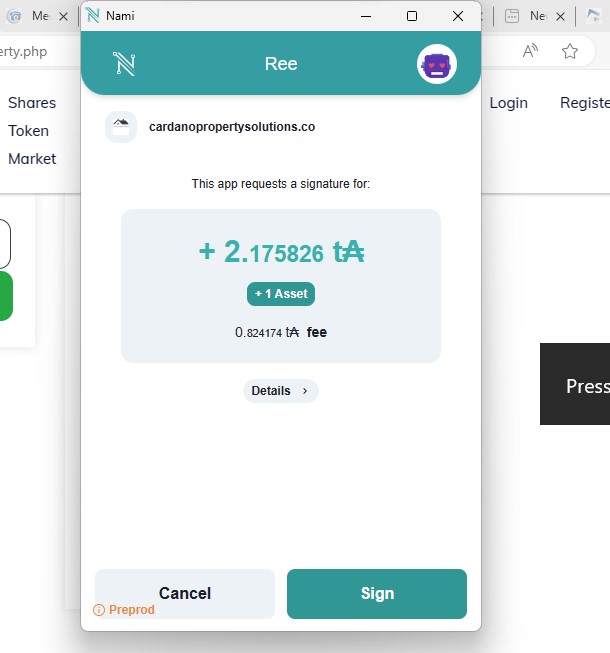
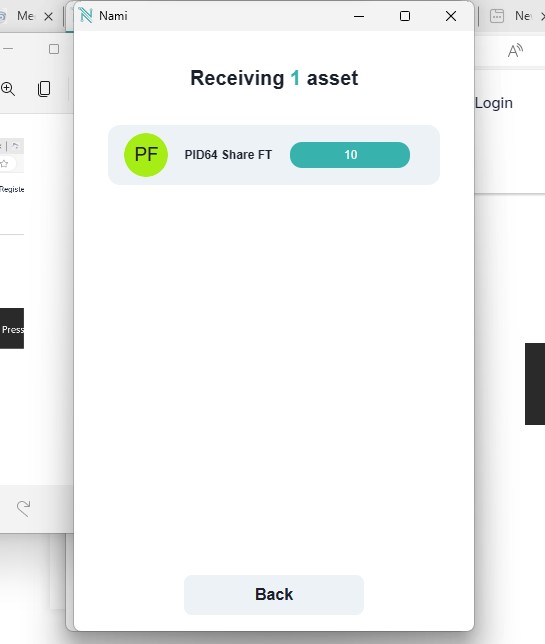
-
Step 4: Congratulations! The Property Sale has been cancelled successfully.
The sale cancellation is complete, and your tokens are restored.
Important Notes
-
Cancelling a sale only applies to the latest tokens (shares) you have listed for sale.
-
Once the sale is successfully canceled, check your Nami Wallet:
- Your token balance will reflect the restored tokens under the Collectibles section.

Why Cancel a Sale?
Canceling a token (share) sale might be necessary if:
- You decide not to sell your shares.
- Market conditions change, and you prefer to hold onto your tokens.
- Errors were made in the listing process.
By following this process, you can ensure that your tokens are securely returned to your wallet and removed from the sale listing.